
Every request in one queue, answered on time
Requests from your web forms, customer portal, phone and email land in one multi-channel helpdesk. Each one routes to the team that owns it, gets a priority and a response target, and keeps its whole conversation in one place.
Web form, portal, phone and email. Desktop and mobile app.
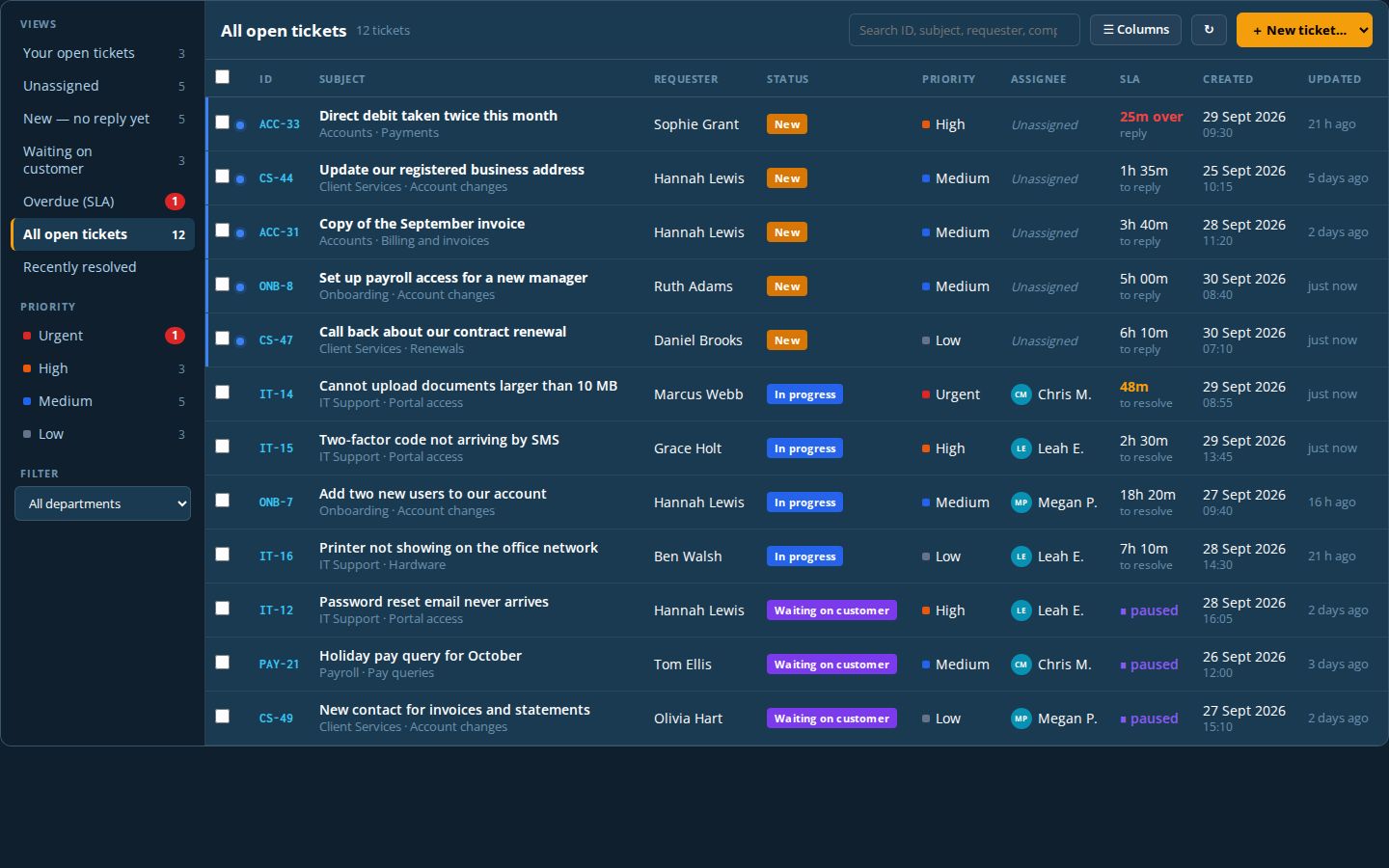
Illustration of a Pulse Helpdesk inbox with example requests.
IT and support teams
One queue for every request from staff or customers, with nothing lost in personal inboxes.
Businesses with several teams
Requests route to the team that owns them, and anyone in that team can pick up the next one.
Firms whose customers want updates
A portal where customers track their own requests, reply and add files, instead of chasing by email.
See Pulse Helpdesk from both sides
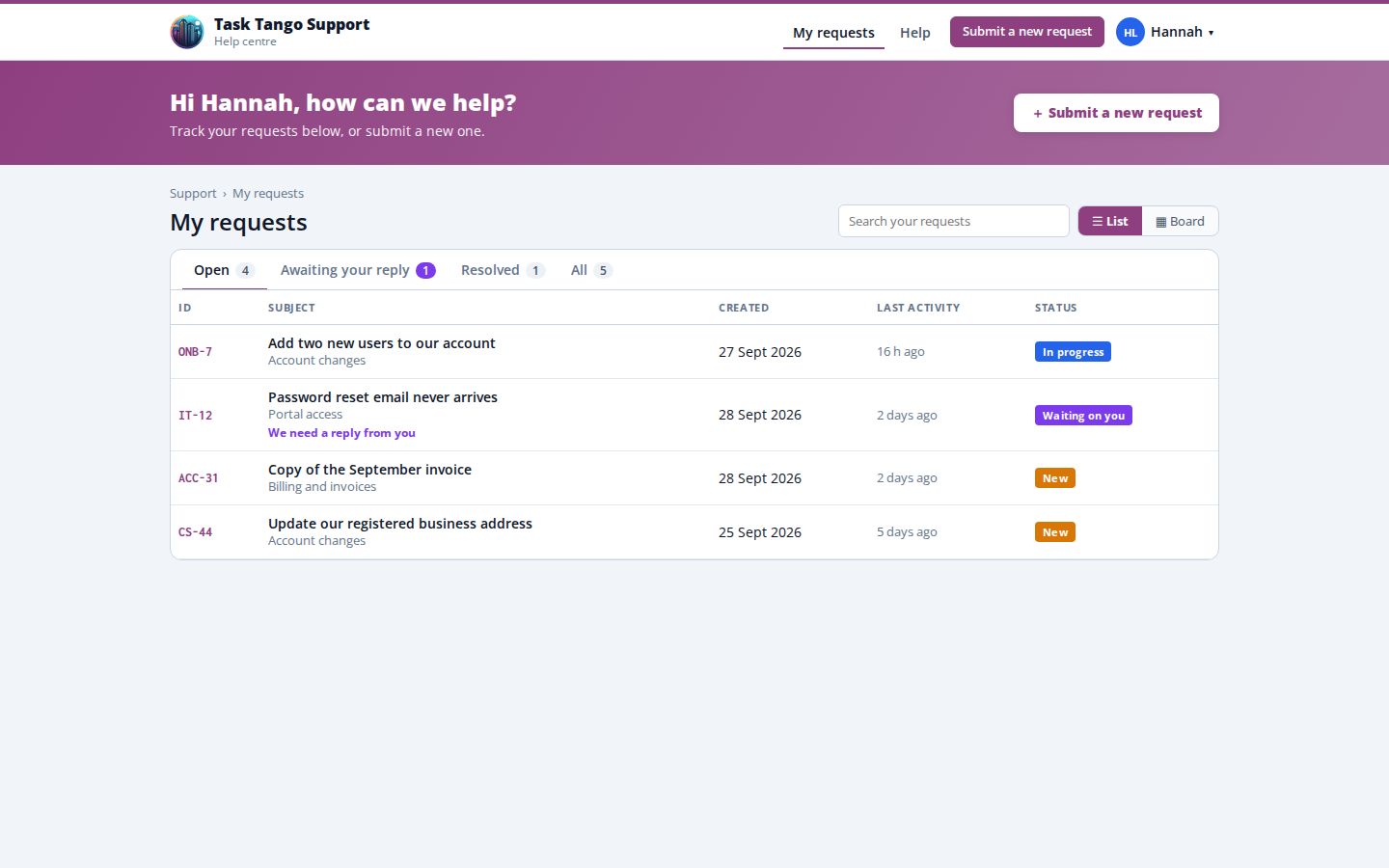
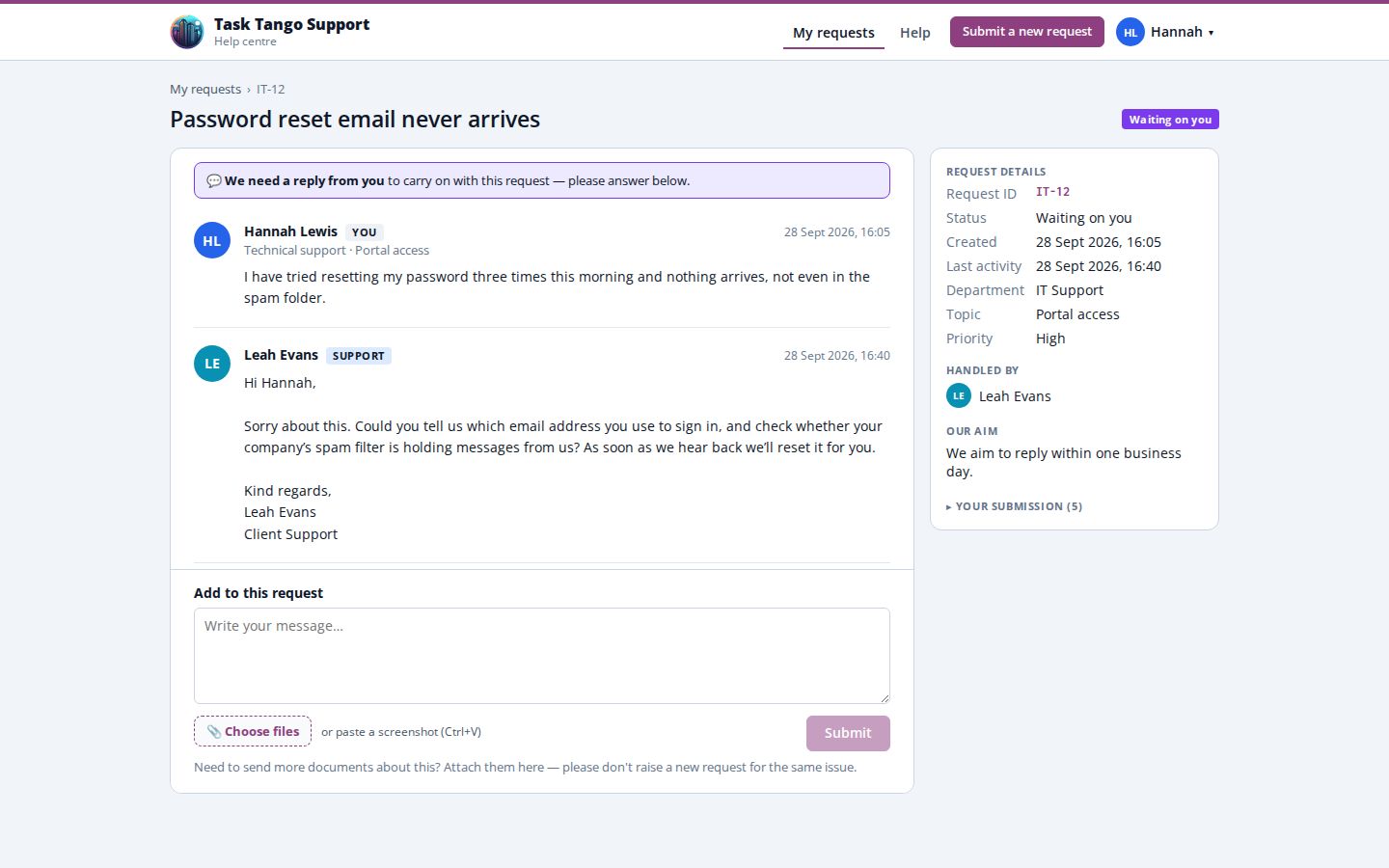
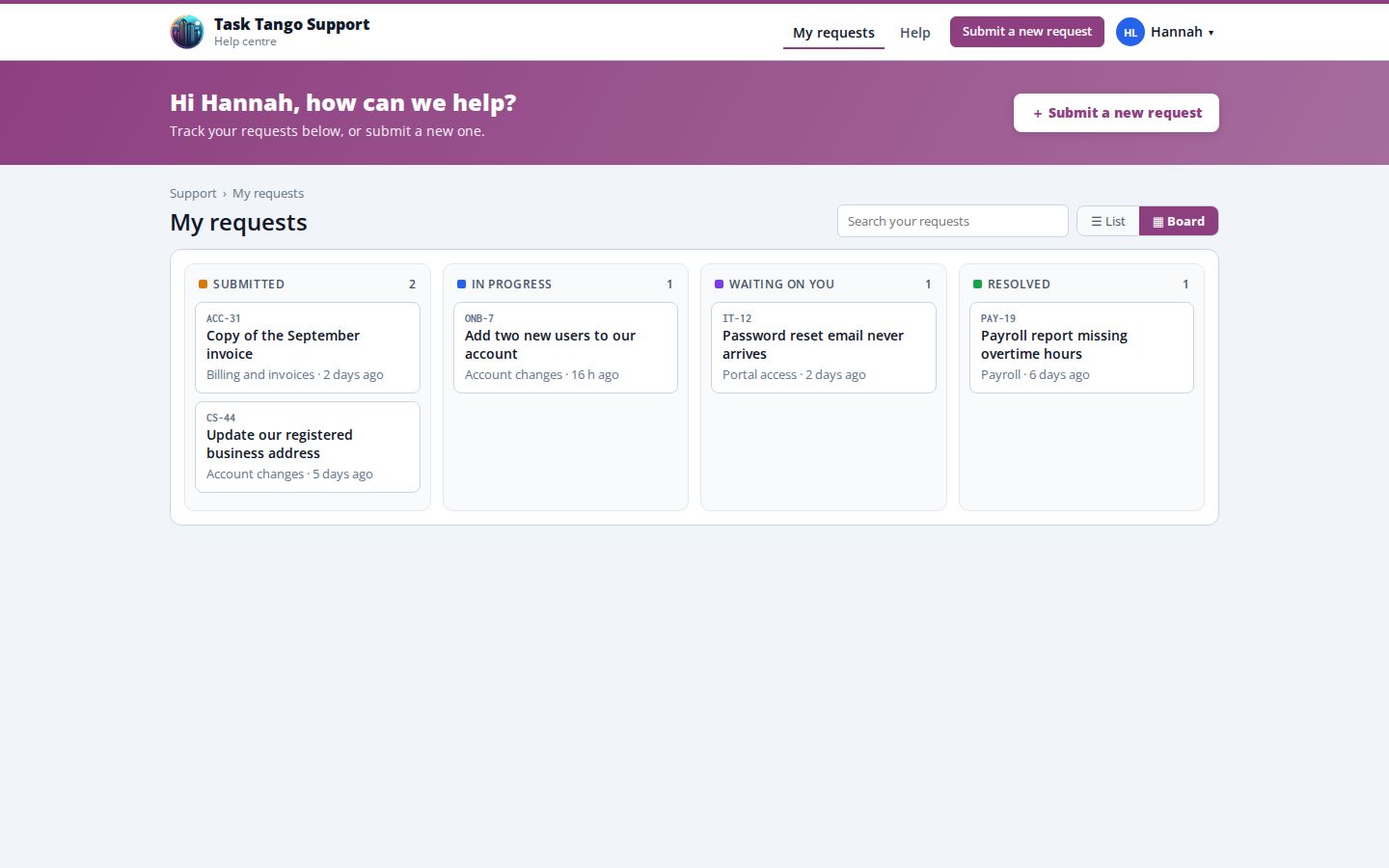
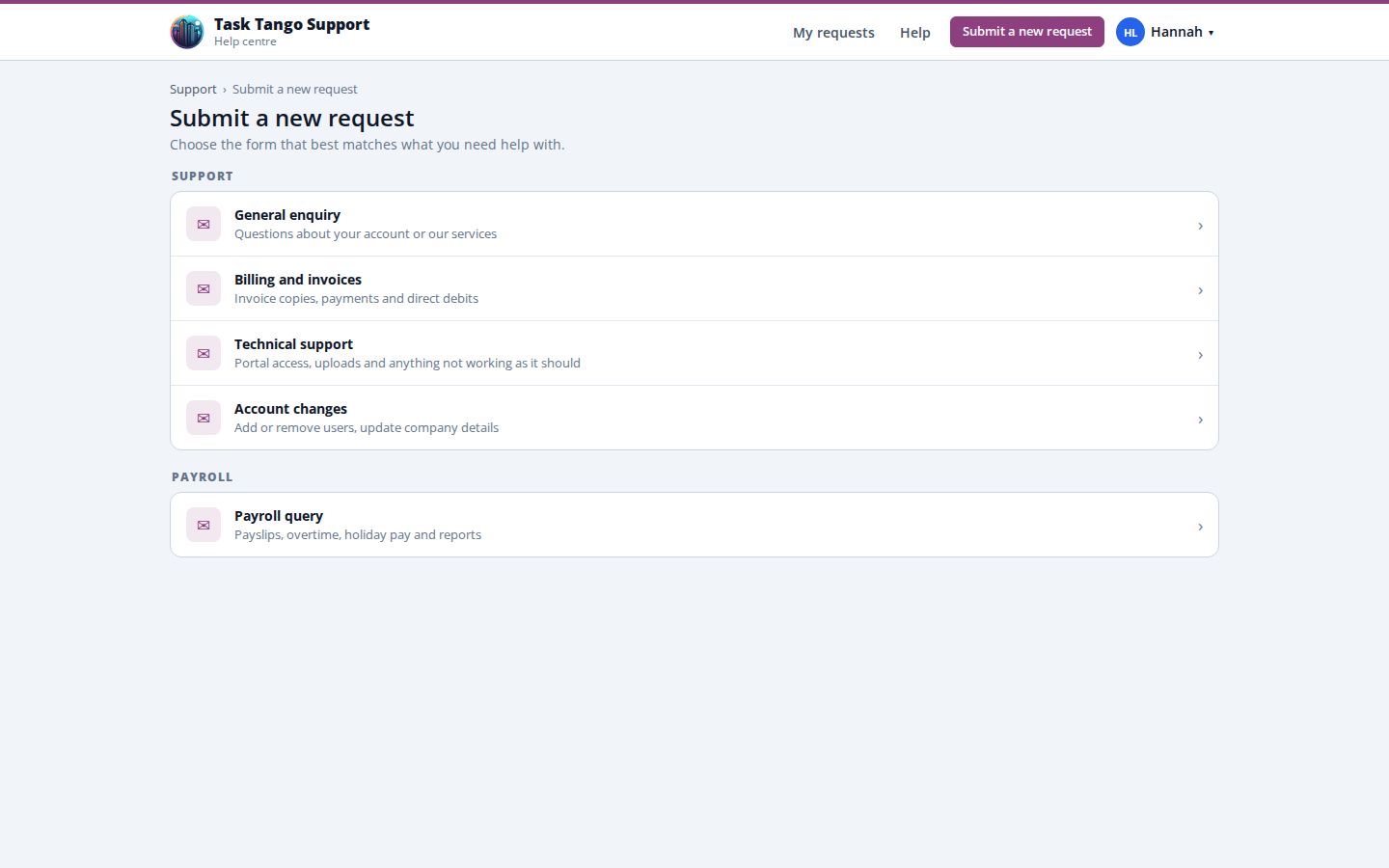
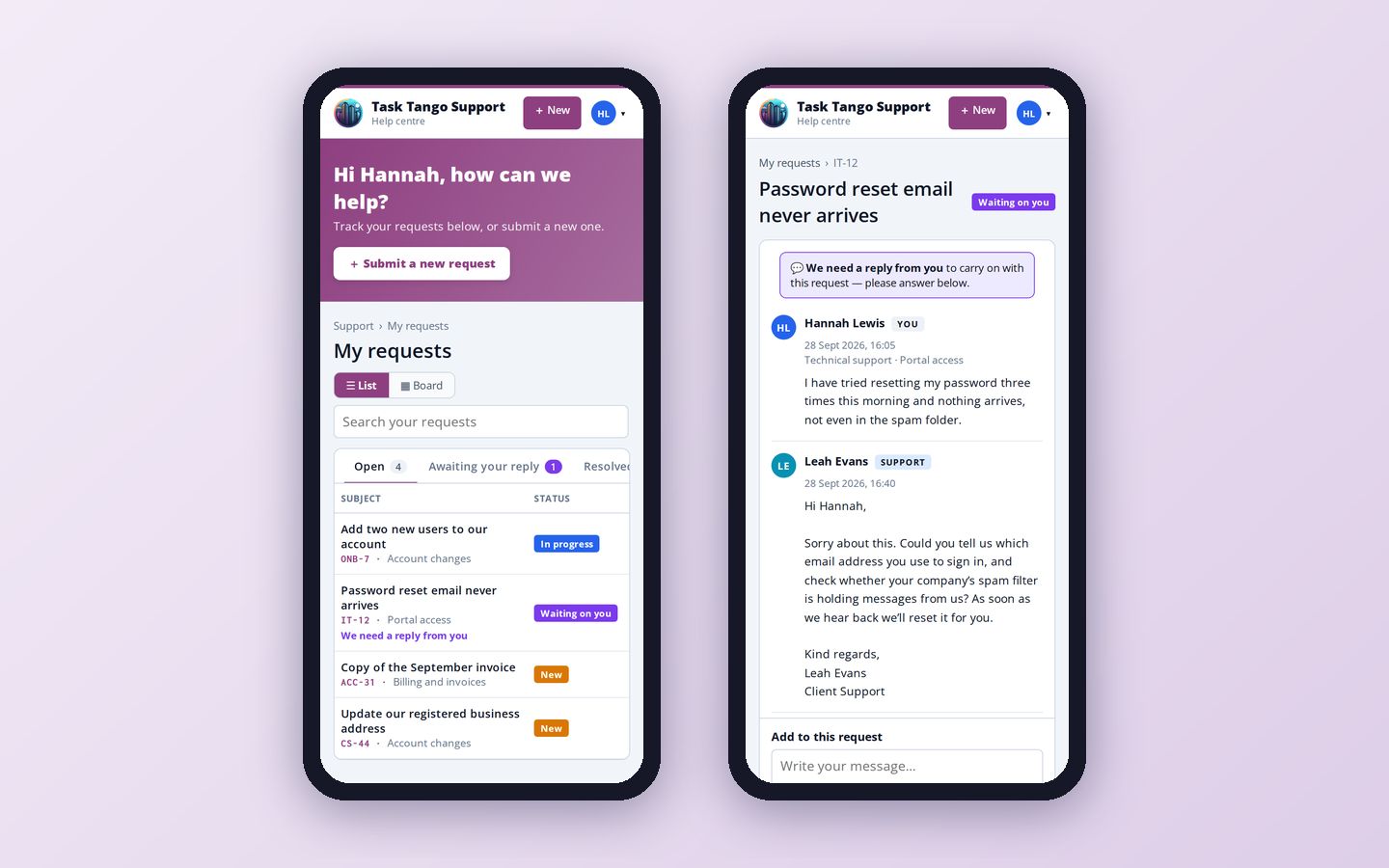
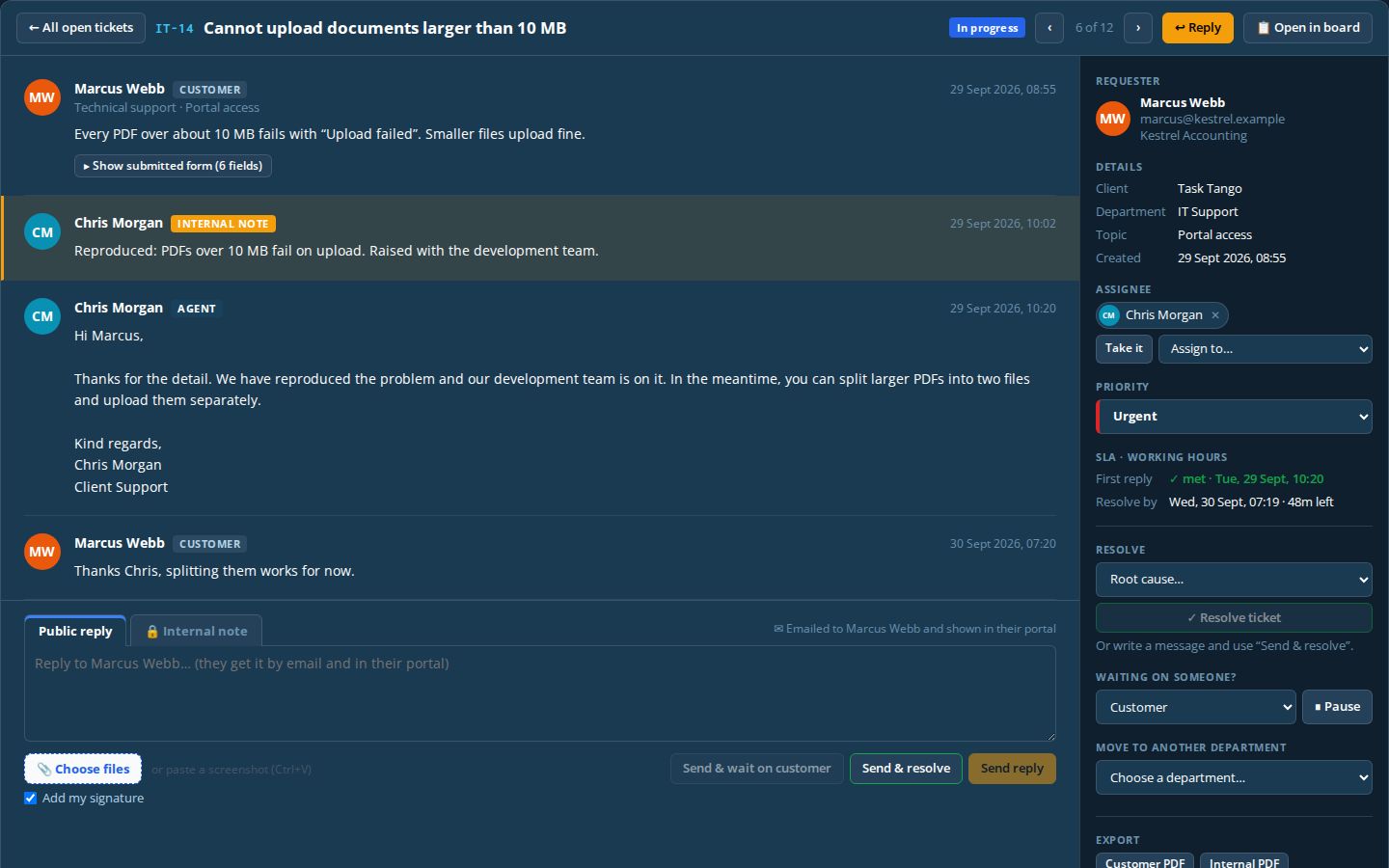
Real screens from Pulse Helpdesk, shown with example requests. Your customers get a help centre in your brand; your team gets a desk built for response times.
What your customers see
What your team sees
From first message to resolved, in one place
Every channel, one queue
Web forms, a customer portal, and phone calls and emails logged by your team all arrive in the same place.
Topics that route themselves
The topic a customer chooses decides the owning team, the priority and the response target.
Shared team queues
Everyone in a team sees unassigned requests and can pick up the next one, sorted by time left.
Response targets that pause
Targets per topic, counted in working hours, with the clock paused while you wait on the customer.
Customer portal
Customers see only their own requests, reply and add files, and get an email with their ticket number.
Move with a reason
Pass a request to another team and Pulse records who moved it and why.
Reports and root causes
Record what each issue turned out to be, then report by team, topic, cause and response time.
Install on PC or phone
Runs in the browser or installs as an app on Windows, Mac, Android and iPhone.
Pulse Helpdesk in detail
What is included as standard. Forms, topics, teams and targets are set up by you, without a developer.
Channels and forms
- How requests arrive
- Public web forms (no account needed), the customer portal, or phone and email logged by your team
- Public support page
- One page of forms per brand or client, grouped by who they are for
- Form builder
- Text, email, phone, number, date, dropdown, choice, checkbox and file fields
- Topics
- Each topic sets the team, priority, response targets and assignee
- Languages
- Forms in English or French
Queues and routing
- Departments
- Each with its own queue and reference prefix, such as IT or CS
- References
- A ticket keeps its reference, such as CS-4, even when it moves
- Auto-assignment
- To a named person, or whoever has the fewest open tickets
- Moves
- Pass a ticket to another department; the reason is required and recorded
- Board view
- A kanban board per department; drag cards to change status
Response targets (SLA)
- Targets
- First reply and resolution, per topic, counted in working time
- Starting targets
- Urgent 30 min / 4 h · High 1 h / 8 h · Medium 4 h / 24 h · Low 8 h / 48 h (first reply / resolution)
- Working hours
- 09:00 to 17:30, Monday to Friday by default; bank holidays can be imported
- Pause
- Waiting on the customer or a third party pauses the clock
- Warnings
- An alert 30 working minutes before a target, and an Overdue view
Staff desk
- Views
- Your open, unassigned, new, waiting, overdue, all open and recently resolved, with live counts
- Bulk actions
- Assign, set status or priority, or move department for many tickets at once
- Replies
- Public reply or internal note; send, send and wait, or send and resolve
- Resolving
- Every resolved ticket records a root cause
- Signatures
- Each agent's own, or your default sign-off
Customer portal
- Access
- One login for every request, even across several brands or clients
- My requests
- Open, awaiting your reply, resolved and all; as a list or a board
- Conversation
- An email-style thread; internal notes are never shown
- Files
- Up to 10 files and 45 MB at a time, or paste a screenshot
- Promises
- Customers see your "Our aim" promise, never the internal targets
Notifications
- For your team
- New tickets, replies, files, escalations, reopens, assignments and SLA alerts
- For customers
- Confirmation with a reference, replies, "waiting for you" and resolution emails
- Reopening
- Customers reopen a resolved request with one click or a reply
Reports and exports
- Headline figures
- Tickets, open, breached, SLA met, and average first response and resolution
- Charts
- By queue, topic, priority, client and root cause; each downloads as an image
- Exports
- Excel, a PDF report and print
- Ticket PDFs
- A customer copy without internal notes, or an internal copy with notes and SLA results
Access and security
- Roles
- Platform admin, client administrator, agent and customer; the public needs no account
- Several brands
- Run separate brands or clients, each with its own forms, teams and look
- Invitations
- Customer invitations valid for 14 days; set-password links by email
- Sessions
- Signed out after 30 minutes idle; staff can end sessions on other devices
- Spam protection
- A hidden trap field and rate limit on every public form
- Devices
- Installs as an app on Windows, Mac and Android; on iPhone from Safari
How a request flows
- 1
Raised
A customer uses a web form or the portal, or your team logs a call or email.
- 2
Routed
The topic sets the team, priority and targets; the customer gets a reference.
- 3
Answered
An agent takes it and replies; the first public reply stops the reply clock.
- 4
Wait or move
Send and wait pauses the clock; a ticket can move team with a reason.
- 5
Resolved
Resolving records a root cause and tells the customer, who can still reopen it.
Run it yourself, or let us answer first
Use Pulse Helpdesk with your own team, or add a Task Tango customer support team that answers first-line requests inside the same queue, to your targets and in your tone of voice.
Customer service supportGood to know
Which channels does Pulse Helpdesk cover?
Web forms on your site, a customer portal, and phone calls and emails logged by your team, all in one queue.
Can customers track their own requests?
Yes. Customers get an email with their ticket number and can sign in to a portal to see progress, reply and add files.
Can we change forms, topics and targets ourselves?
Yes. Administrators set up forms, topics, teams and response targets in Pulse, without a developer.
How is pricing calculated?
By product and by the level of customisation you need. We quote after a 15-minute demo.
See Pulse Helpdesk with your own requests
Bring a few typical requests to a 15-minute demo and we will show you how they route, from form to resolved.