
From take-off to invoice, one system for the workshop
Built with a structural steel fabricator in Melbourne: import a take-off, send a branded quote, plan and order materials, track every job and delivery, and keep invoices, bills and job costs in step with Xero.
In use at Dream Engineering & Fabrication, Victoria.
Steel and metal fabricators
Workshops quoting from drawings and take-offs, with material that needs tracking to the millimetre.
Fabricate-and-install contractors
Jobs with sites, technicians, deliveries and variations that change from week to week.
Owners who live in Excel and Xero
Keep the take-off spreadsheet you know, and let Pulse turn it into quotes, orders and invoices.
The workshop, screen by screen
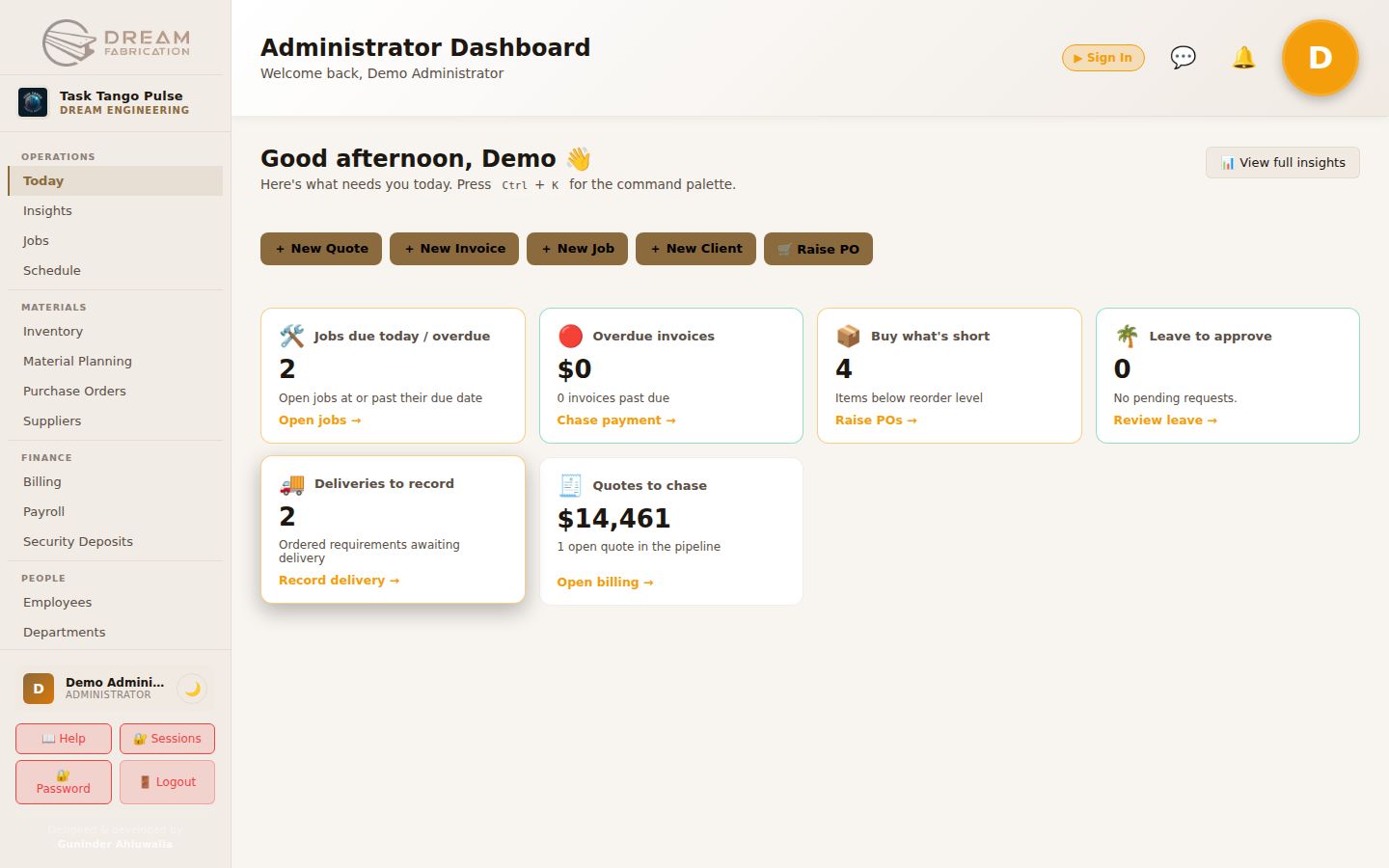
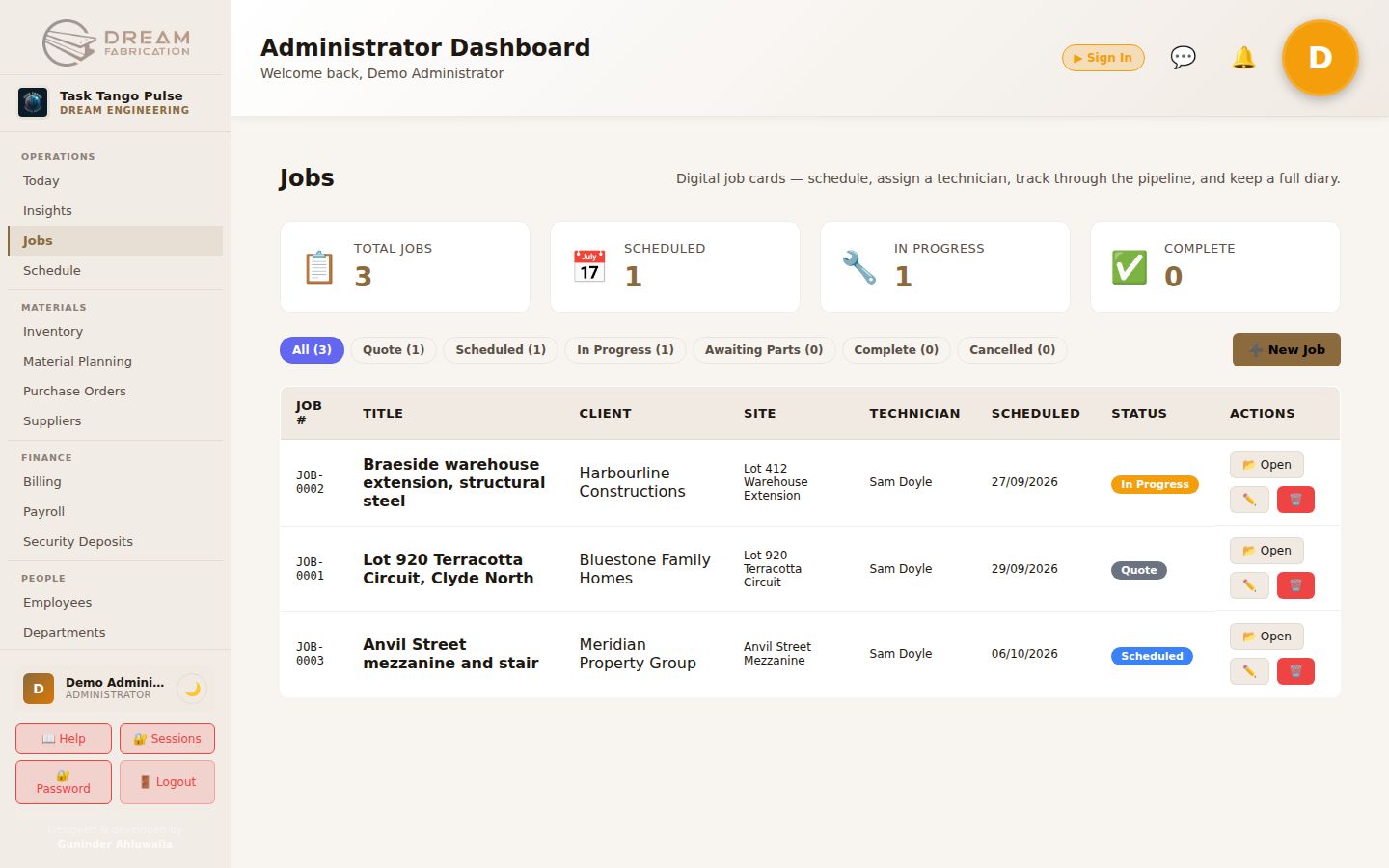
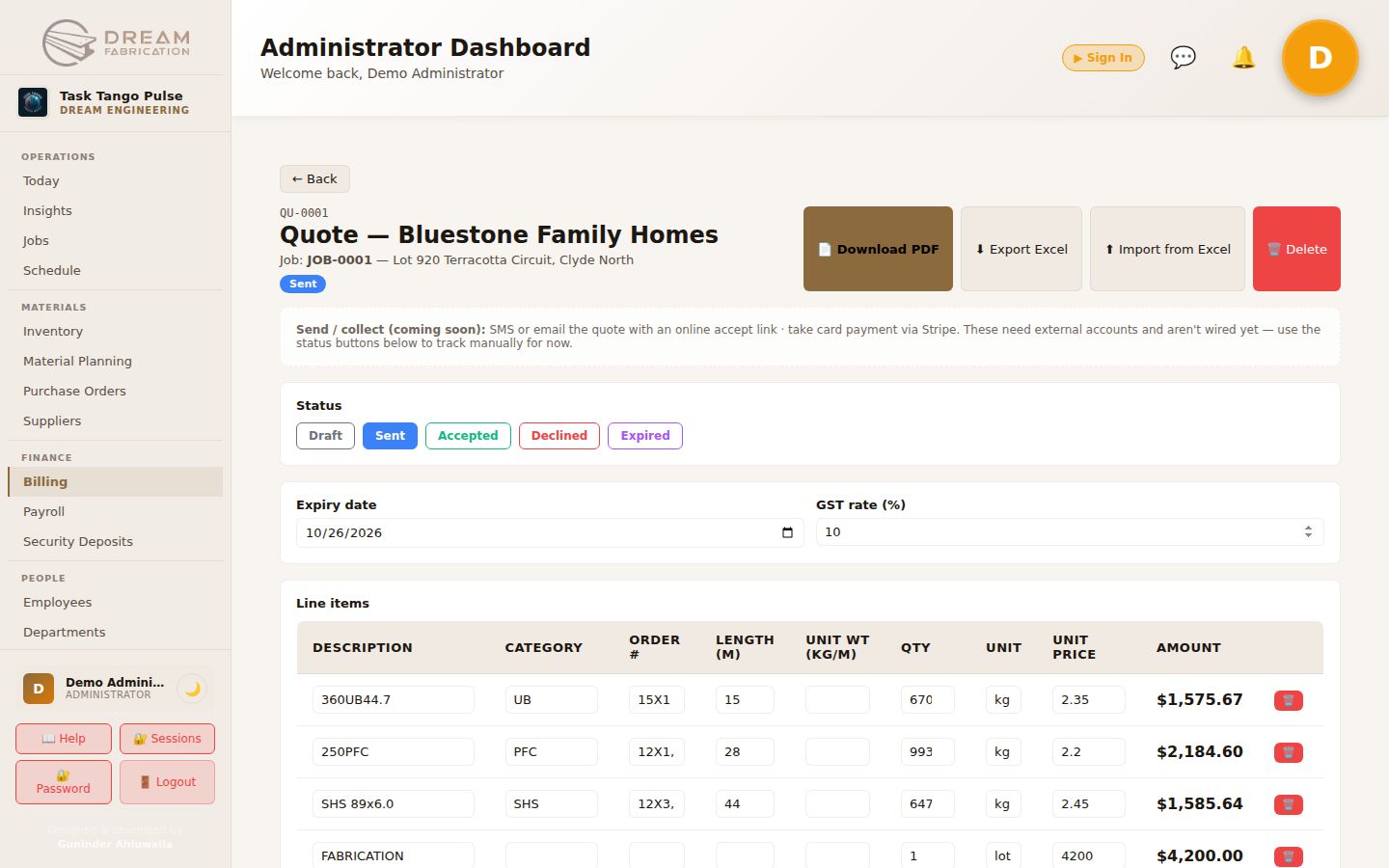
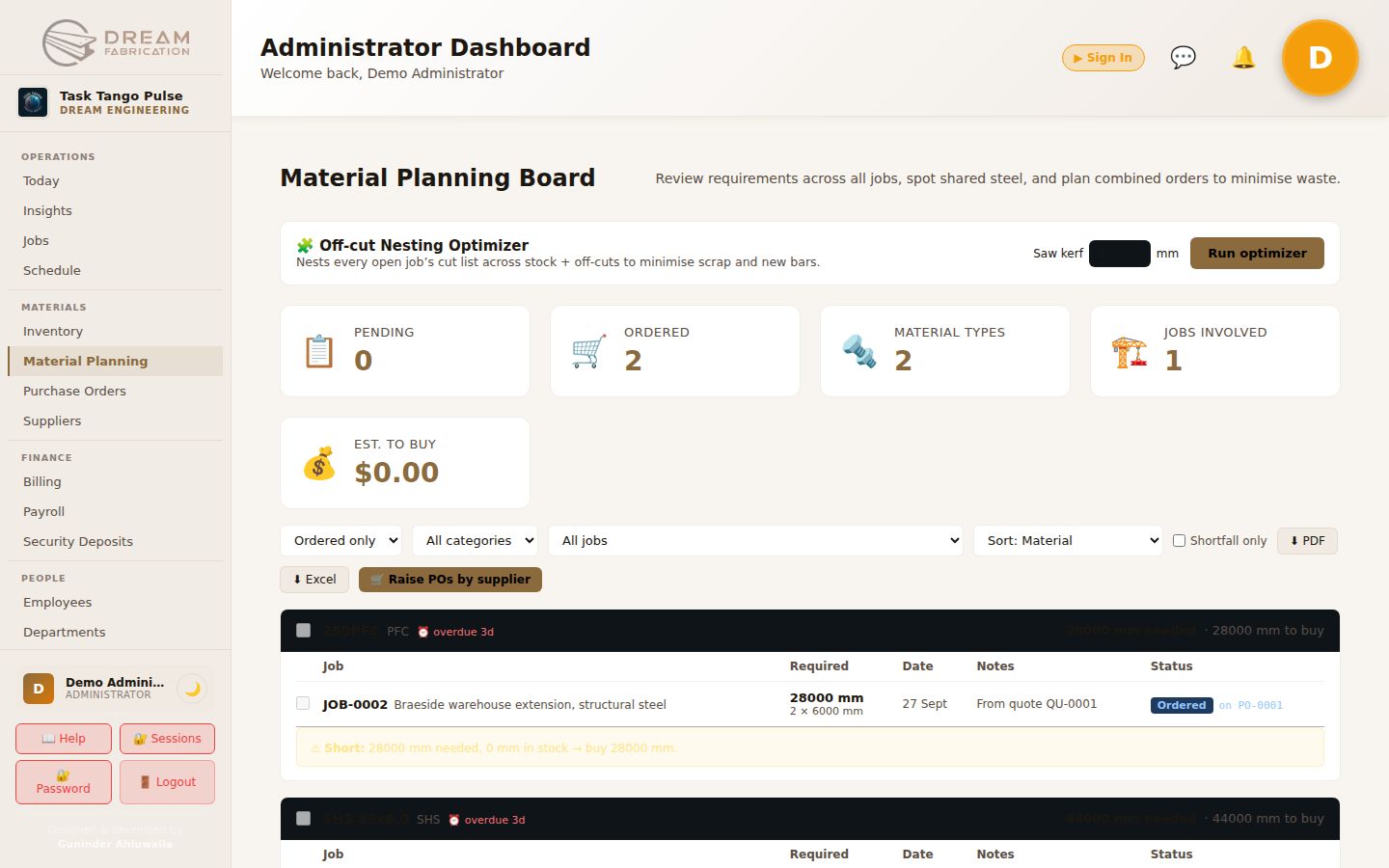
Live screens from Pulse Metal Fabrication, running with demo data on a test instance.
Built around how a workshop actually runs
Take-off to quote
Import a steel take-off from Excel; lines match the catalogue and work out length, kilograms and price.
Branded quotes and invoices
PDFs in your own template, with detailed steel lines grouped the way you present them.
Off-cut inventory
Linear steel stored as pieces in millimetres; Pulse uses the best-fit off-cut before cutting a fresh length.
Materials and purchase orders
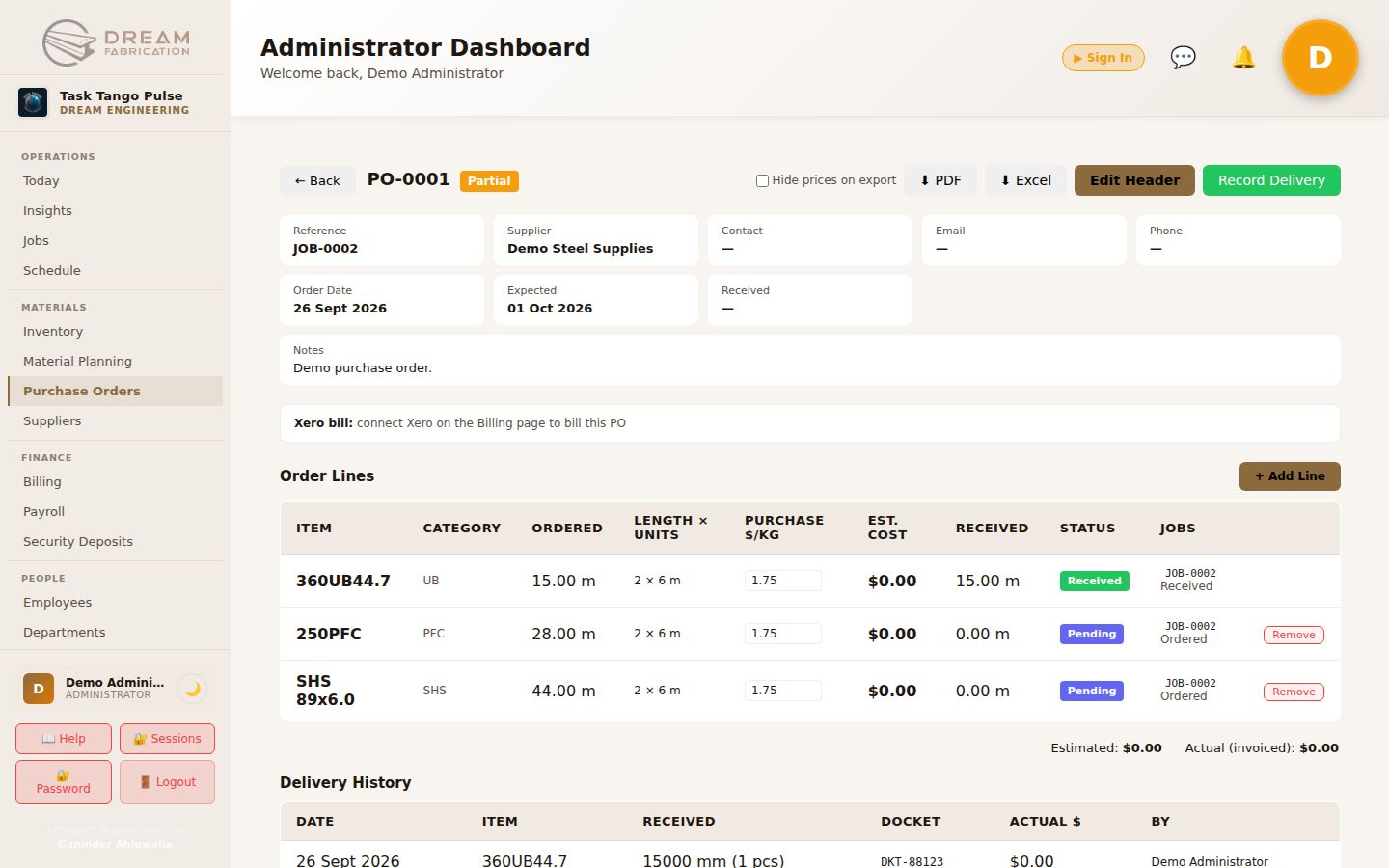
Accepted quotes create material requirements; shortfalls become supplier-grouped purchase orders.
Deliveries and variance
Deliveries recorded against dockets, so estimated and actual cost show on every order.
Suppliers and reordering
Scorecards for spend, variance and on-time delivery, plus one-click reorders below the reorder level.
Xero, both ways
Invoices and bills pushed to Xero, payment status pulled back nightly, and profit and loss per job.
Jobs, dispatch and compliance
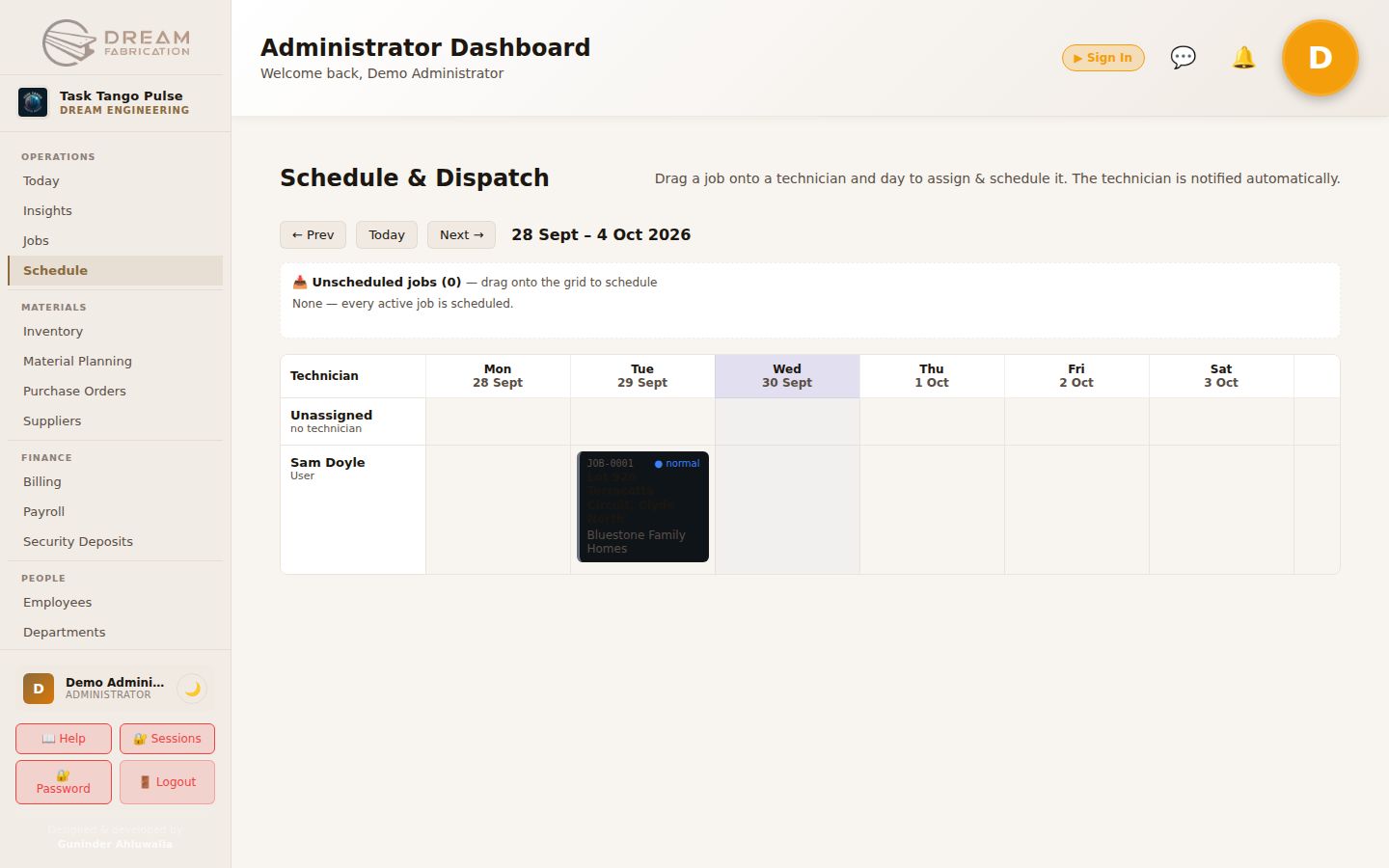
A weekly dispatch board, technician checklists and photos, and ITP and SWMS forms with PDF output.
Pulse Metal Fabrication in detail
What the workshop edition includes. Templates, catalogues and forms are set up around how you work.
Jobs and scheduling
- Job card
- Status, diary, photos, checklist, materials, forms, quotes and invoices together
- Statuses
- Quote, Scheduled, In Progress, Awaiting Parts, Complete and Cancelled
- Clients and sites
- Each client with one or more sites, reused on jobs, quotes and invoices
- Schedule board
- Technicians by day; drag a job to assign or reschedule it
Quotes and invoices
- Take-off import
- An Excel take-off becomes detailed quote lines
- Pricing
- Pick a catalogue item and its unit weight and price fill in; amounts by weight
- Branded PDFs
- Letterhead, bank details and commercial or residential terms
- GST
- Calculated automatically at 10%
- Invoices
- Deposit and final invoices, converted straight from the quote
Inventory and off-cuts
- Stock
- Steel lengths stored as individual pieces in millimetres
- Off-cuts first
- The smallest piece that fits is used before a new bar
- Remainders
- Returned to stock as off-cuts, or as scrap below the minimum
- Reordering
- Items below their reorder level, grouped by supplier, as draft orders
Materials and purchasing
- Requirements
- Created when a quote is accepted; pending, ordered, received and allocated
- Material planning
- Every job's needs netted against stock and combined into whole lengths
- Purchase orders
- Numbered automatically; raised per supplier
- Deliveries
- Docket, pieces, length and actual cost; variance against the estimate
- Suppliers
- Scorecards for spend, variance and on-time delivery
Xero
- Invoices
- Pushed as draft or approved, with the branded PDF attached
- Payments
- Paid, outstanding and overdue pulled back nightly
- Bills
- Purchase orders billed at actual delivered cost, never twice
- Profit per job
- Invoices and bills tagged by job for profit and loss in Xero
Forms and compliance
- Form builder
- ITP, SWMS and custom checklists
- Fields
- Text, number, date, checkbox, dropdown, typed signature and headings
- On the job
- Filled in on the job card, including by technicians on site
- Records
- Locked once submitted, with a PDF of every response
Technicians
- My Jobs
- Each technician sees their own jobs
- On site
- Status, diary notes, photos, forms and time logged
- Notifications
- Told automatically when a job is assigned or rescheduled
How a job flows through Pulse
- 1
Take-off
Import the Excel take-off; lines match the catalogue and price themselves.
- 2
Quote
A branded PDF goes out the same day; accepting it creates the job's material requirements.
- 3
Materials
Off-cuts are allocated first; shortfalls become supplier-grouped purchase orders.
- 4
Fabricate & install
Dispatch board, technician checklists, photos, ITP and SWMS forms.
- 5
Invoice & Xero
Invoice pushed with the PDF attached; bills at actual cost; profit per job in Xero.
A team in the system, not just a login
Pulse Metal Fabrication can come with a dedicated Task Tango operations officer who works inside it every day: preparing quotes, booking site visits, handling enquiries and following up invoices.
Read the Dream Fabrication storyRunning every day at Dream Engineering & Fabrication
A structural steel fabricator in Melbourne moved from spreadsheets, Word quotes and paper stock lists to one system, with its own cloud instance and a Xero link that reports profit per job.
Good to know
Can we keep our take-off spreadsheet?
Yes. Pulse imports your Excel take-off and matches each line to your catalogue, so estimators keep working the way they do today.
Does it work with Xero?
Yes, both ways. Invoices and purchase-order bills go to Xero, payment status comes back nightly, and a job tracking category gives you profit and loss per job.
Can it be tailored to our workshop?
Yes. Quote templates, catalogues, forms and workflows are set up around how your workshop runs, and our software team can build what is missing.
How is pricing calculated?
By product and by the level of customisation you need. We quote after a 15-minute demo.
Run a workshop? See it with one of your own jobs.
Bring a take-off spreadsheet to a 15-minute demo and we will quote it live in Pulse.