
Time tracking that fills in the timesheet for you
Start a timer on the card you are working on, or record your day's start, break and finish. Hours land on the person's timesheet and on the card's history at the same moment, so nobody types the same hours twice.
Included with Pulse Boards. Desktop and mobile app.
Illustration of a Pulse timesheet with example data.
Teams that bill or report time
See hours by person, card, board and client without asking anyone to fill in a spreadsheet.
Managers running several teams
Filter by department, person and date range, with the totals worked out for you.
Anyone who forgets to log time
A timer on the card you are already working on is easier to remember than a timesheet on a Friday afternoon.
Where the hours actually went
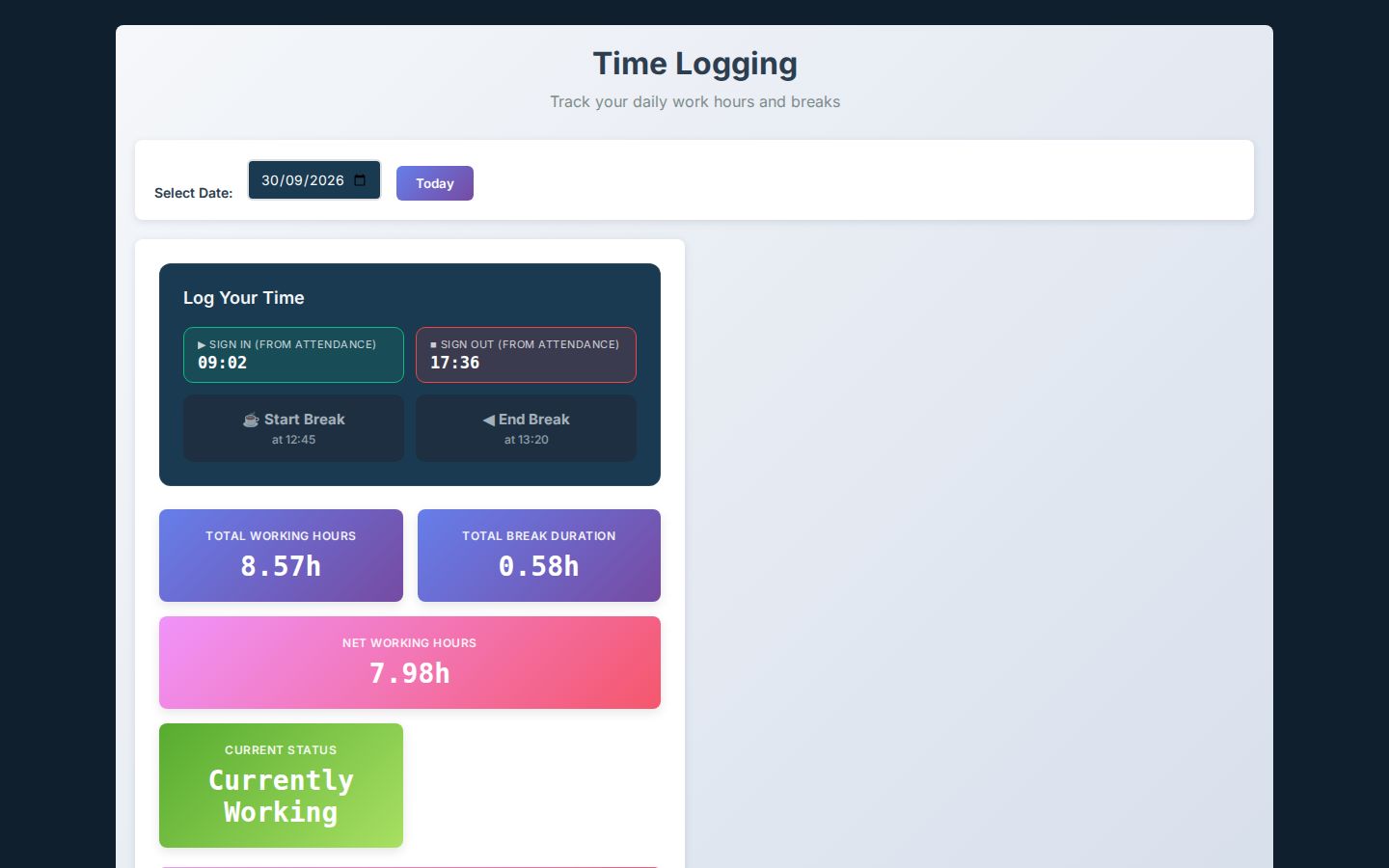
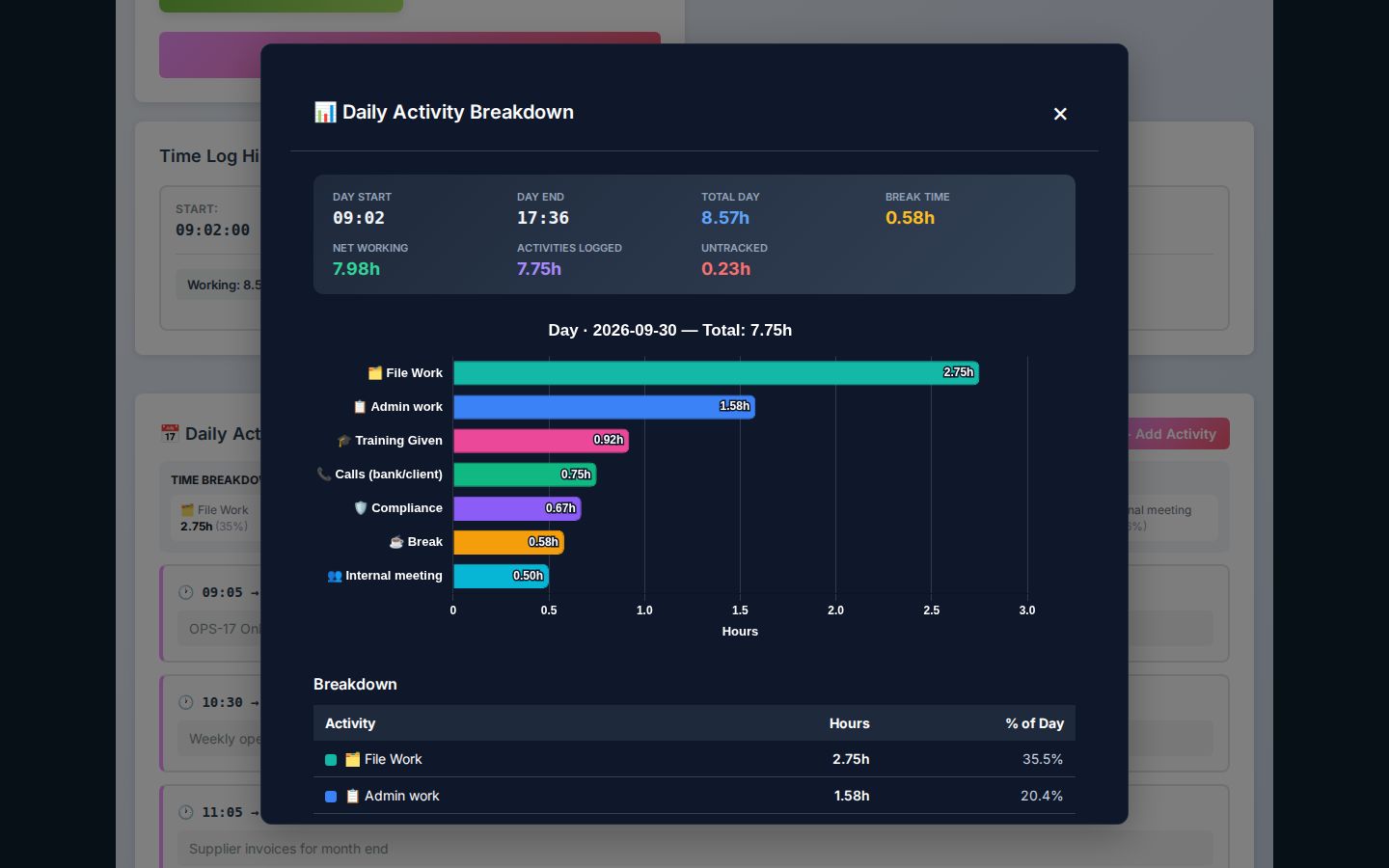
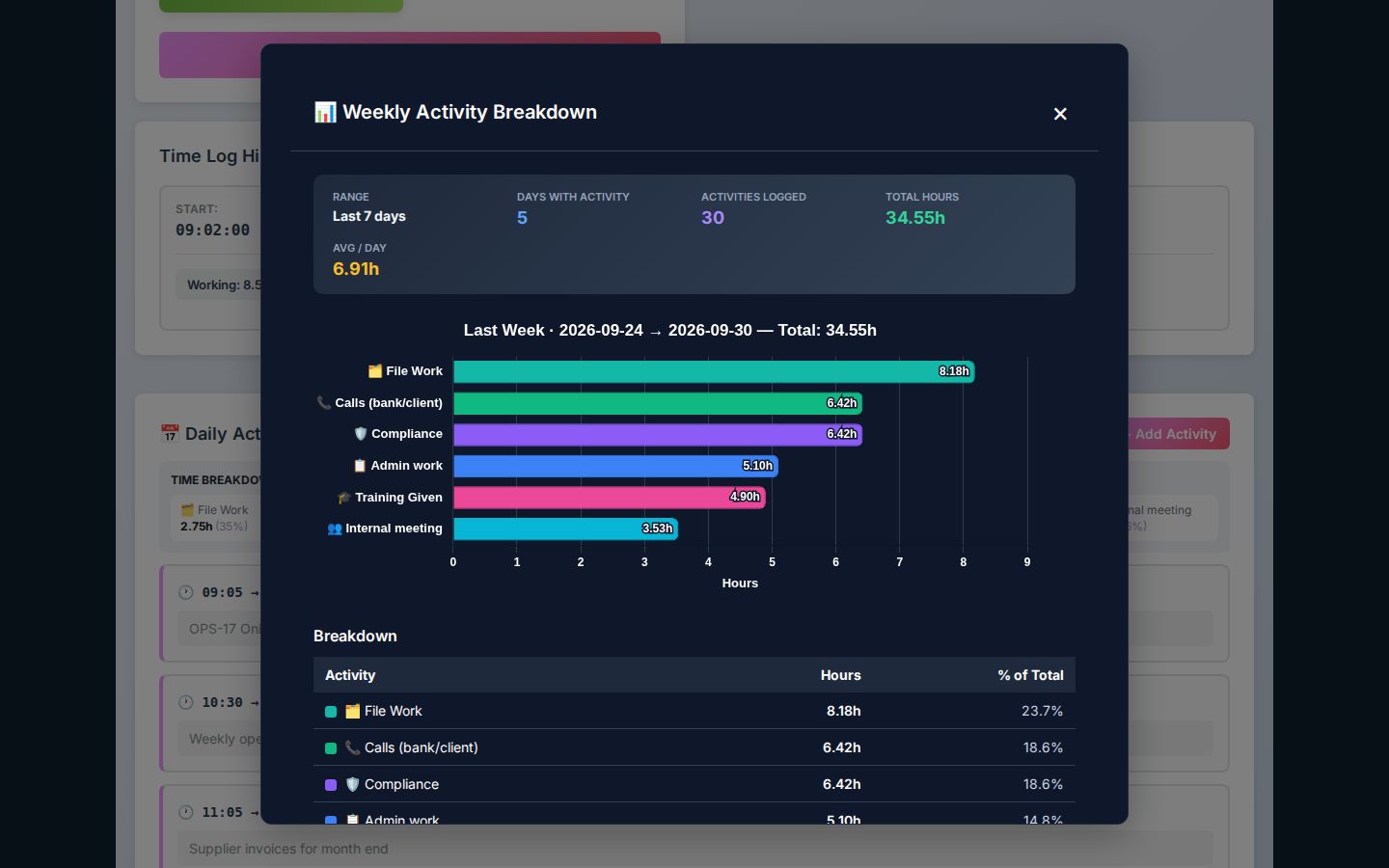
Real screens from Pulse, shown with an example working day. The day, the activities and the time on each card all add up in one place.
Accurate hours without the chasing
One-tap timer
Start and stop a timer on any card; the time is saved to the card and to the timesheet.
Manual entries
Add or adjust time afterwards, with a note, when a timer was not running.
Daily log
Record start, break and finish times; hours worked, break time and net hours are calculated for you.
Status at a glance
See who is working, on a break or finished for the day.
Hours by person, board and client
Filter by department, person and date range, with totals for the period.
Reports and exports
Export hours for payroll, billing or client reports as a spreadsheet-ready file.
Full edit history
Every entry and change is recorded, so the numbers stand up to review.
Feeds Pulse HR
Attendance and hours flow into Pulse HR for payroll, so nobody keys them in twice.
Pulse Timesheets in detail
Time logging is part of Pulse: the day, the activities and the time on each card.
The working day
- Sign in and out
- One click from the header, or from the attendance page
- Breaks
- Start and end breaks; several breaks a day are added up for you
- Hours
- Worked, break and net hours calculated automatically
- History
- Date, sign-in, sign-out, worked, break and net hours for every day
Activities
- Activity log
- Each activity with a type, start time, end time and note
- Types
- File work, admin work, calls, meetings, compliance, training and breaks
- Breakdowns
- By day, week or month, and this week against last week
- Export
- Each breakdown exports to PDF
Time on cards
- Log time
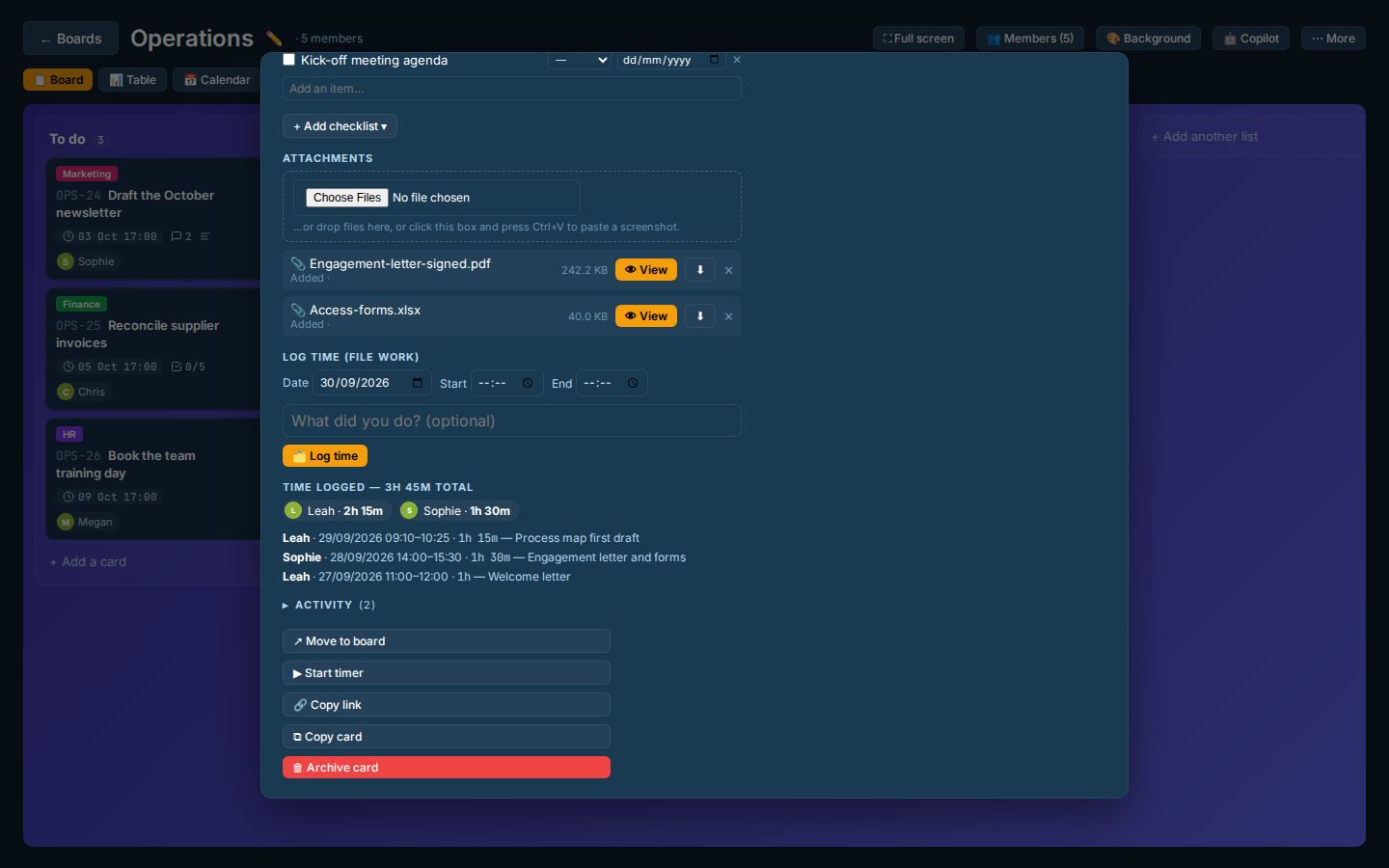
- Date, start, optional end and a note, from any Pulse Boards card
- Work timer
- Start on a card; stop and log fills in the times for you
- Per card
- Total time, a per-person breakdown and every entry
Automatic rules
- Absent
- Marked absent 30 minutes after a scheduled start with no sign-in
- Late
- Signing in after the grace window shows as late
- Forgotten sign-outs
- Signed out automatically at 23:00 office time, at the contracted end time
- Office time zone
- Every "today" is worked out in your office time zone
Team views
- Leads
- Their own time plus team logs, filtered by person and date range
- Live status
- Working, on a break, signed off, absent or on leave
- Admins
- Filter by person, dates and status; correct entries, with every edit recorded
Exports
- Timesheets
- A monthly timesheet PDF for each person
- Teams
- A printable team timesheet for any date range
- Payroll
- Hours flow into Pulse HR for pay runs
A day in Pulse Timesheets
- 1
Sign in
One click from the header starts the day; late or absent is worked out for you.
- 2
Log the work
Record activities as you go, or run the timer on the card you are working on.
- 3
Take breaks
Start and end breaks; they are taken off net hours automatically.
- 4
Sign out
Worked, break and net hours are calculated; forgotten sign-outs are caught.
- 5
Report
Leads see team logs, and timesheets export to PDF for payroll.
The timer lives on the card
Every card on a Pulse board has a timer. Time logged there appears on the card's history, on the person's timesheet and in your reports, without anyone copying it across.
See Pulse BoardsGood to know
Is Pulse Timesheets a separate product?
It is included with Pulse Boards. Every card has a timer, and every person has a timesheet built from the time they log.
Can we export hours for payroll or invoicing?
Yes. Managers export hours for any date range as a spreadsheet-ready file, filtered by department or person.
Does it work on a phone?
Yes. Pulse installs on desktop and mobile, so people can start or stop a timer from their desk or their phone.
How is pricing calculated?
By product and by the level of customisation you need. We quote after a 15-minute demo.
See your week as a Pulse timesheet
Bring a week of work to a 15-minute demo and we will show you the timesheet and reports it produces.