
Your people, their time off and their pay, in one place
An employee directory, attendance register and leave tracker, with payroll calculated from attendance, statutory deductions, printable payslips, reports and CSV exports in the currency you pay in.
Multi-currency, built for UK, Australian and Indian teams.
Illustration of a Pulse HR dashboard with example data.
Growing teams
Replace the spreadsheets for staff records, attendance and leave before they become a full-time job.
Teams across countries
Pay people in the currency they are paid in, whether that is pounds, Australian dollars or rupees.
Managers and team leads
Approve leave, see who is in today and pull reports without waiting for HR.
People, attendance and leave in one system
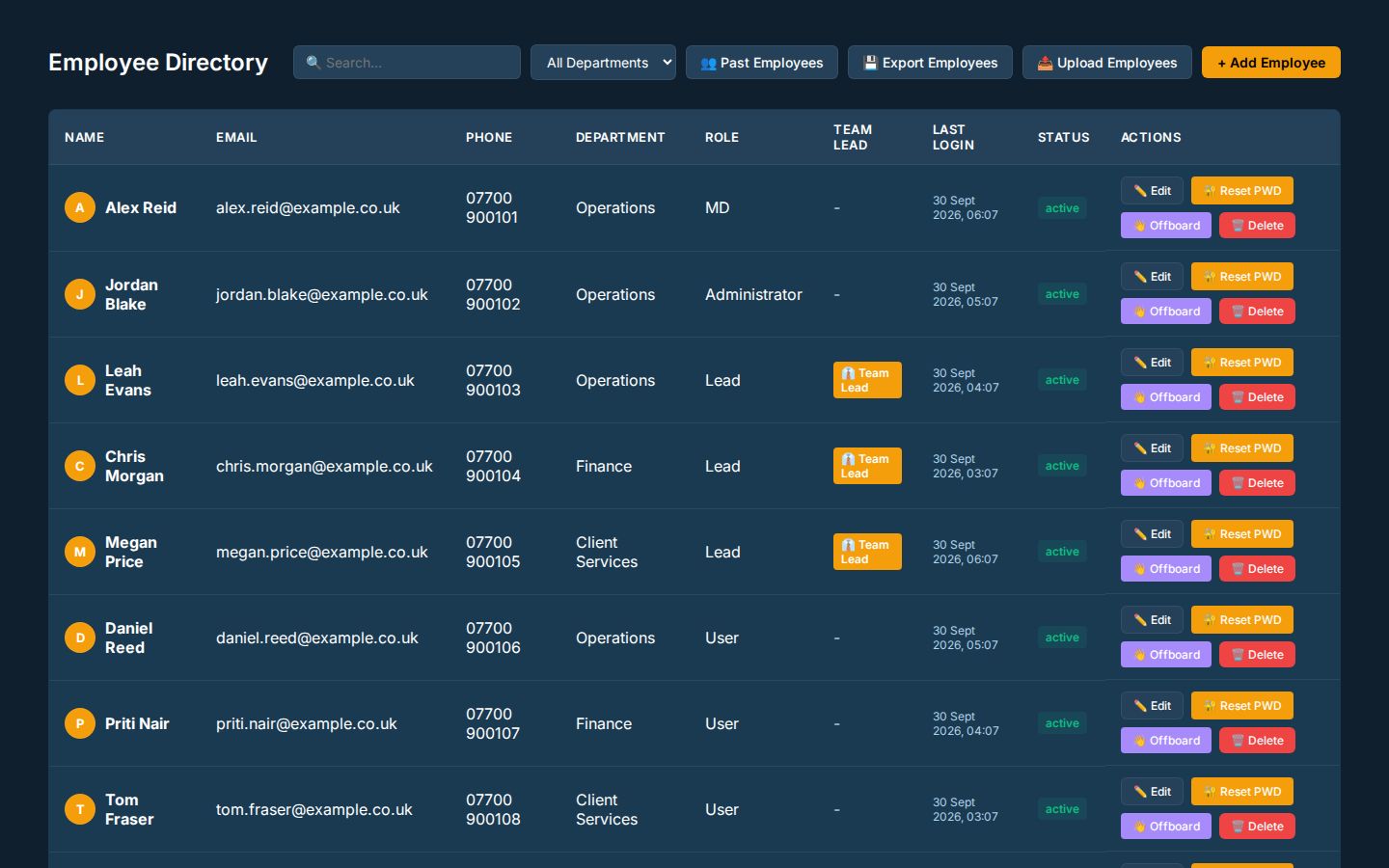
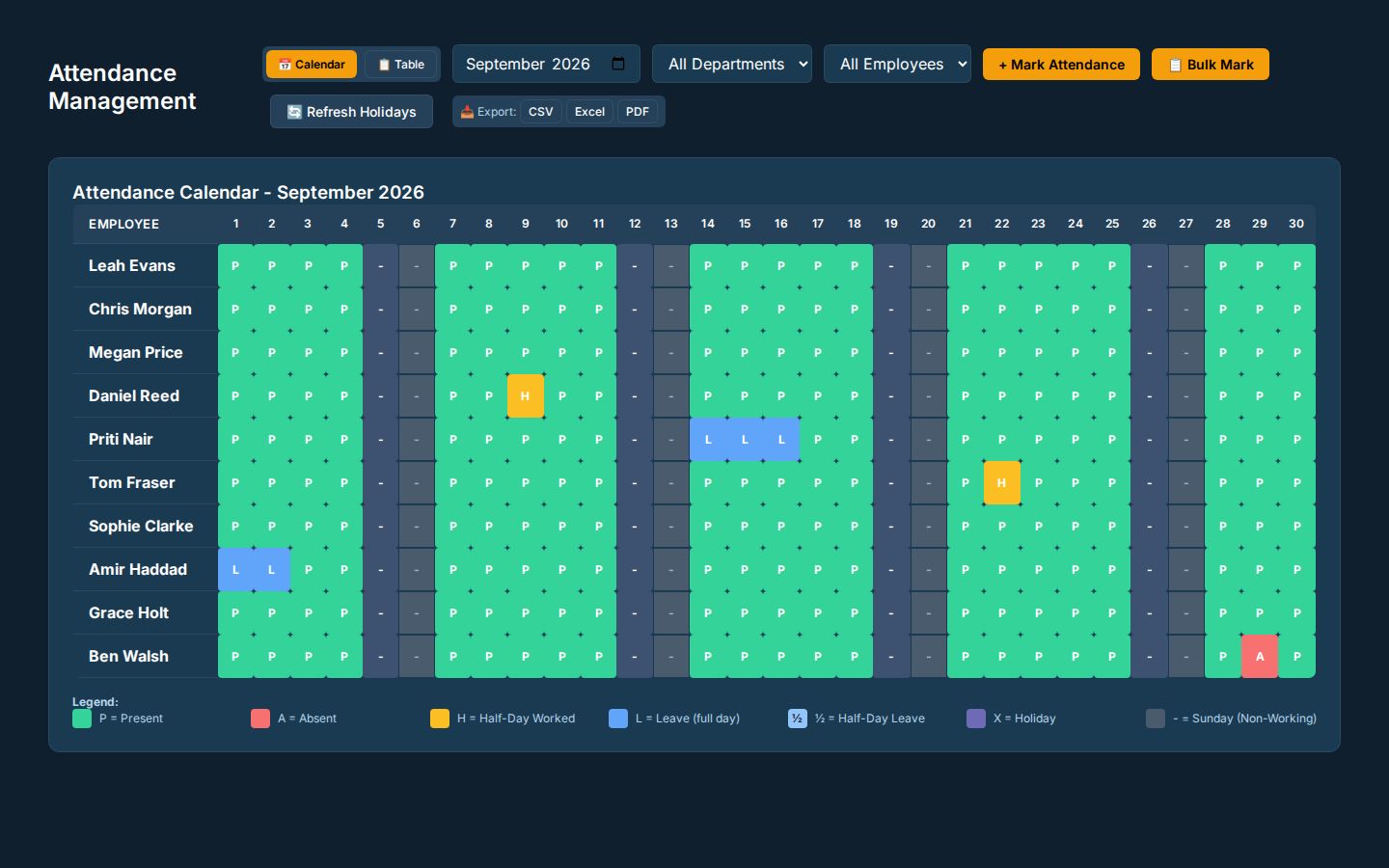
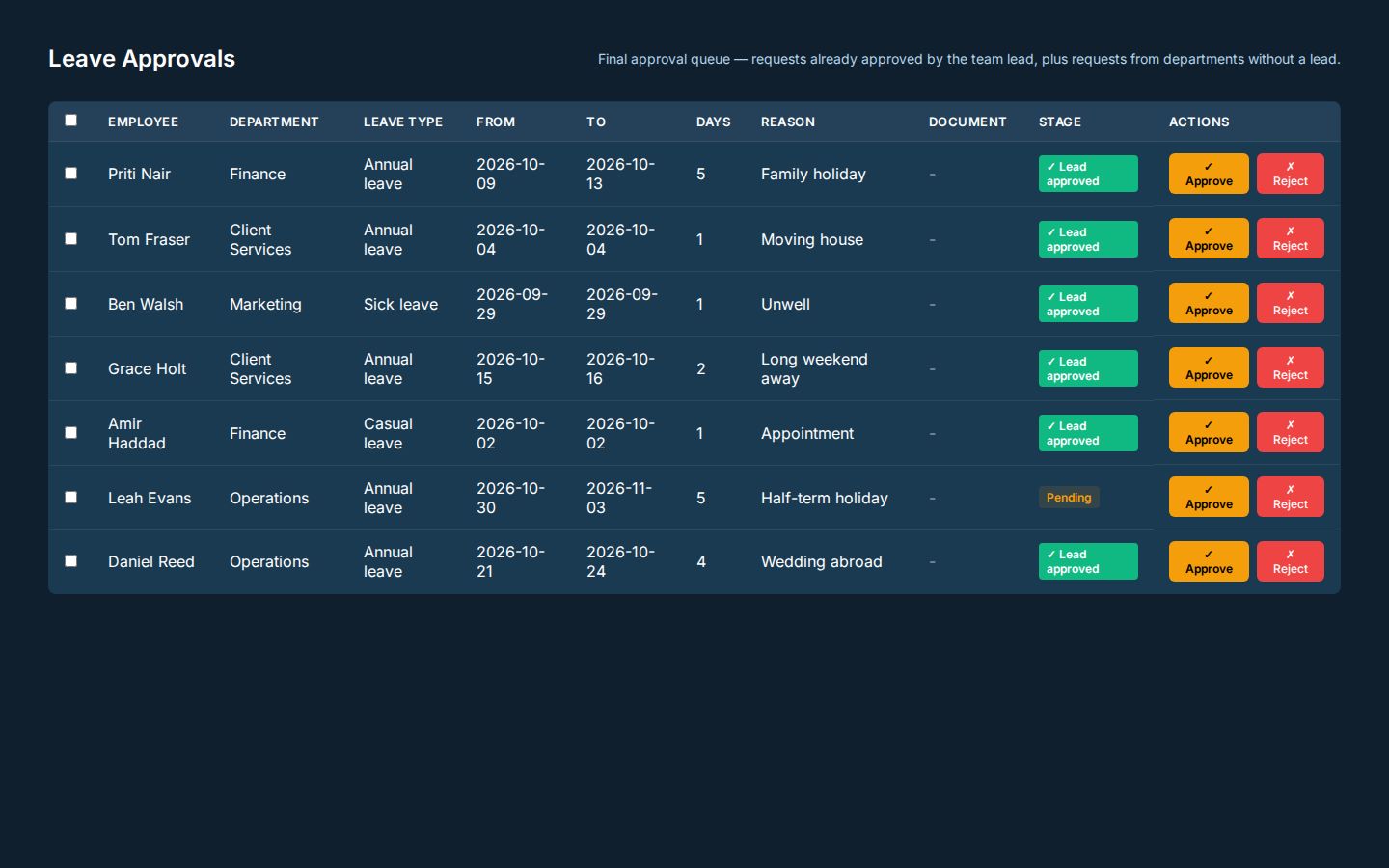
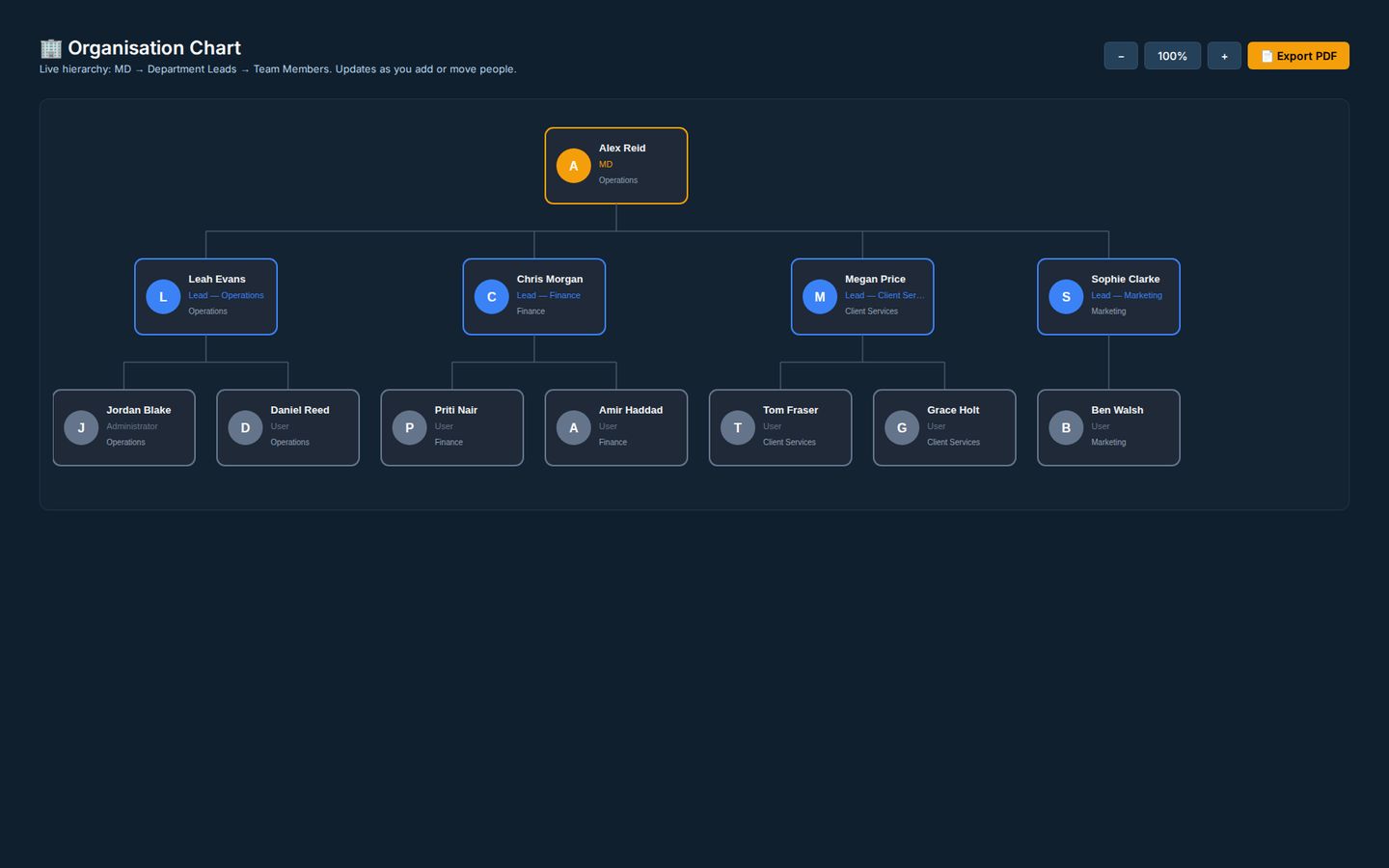
Real screens from Pulse HR, shown with an example team of twelve.
HR that runs on the same data as the work
Employee directory
Profiles, roles, departments and documents for everyone, with access by role.
Attendance register
Start, break and finish times recorded daily, with net hours worked out for you.
Leave requests
Staff request leave in Pulse, managers approve or decline it, and everyone can see who is away.
Payroll from attendance
Pay calculated from the attendance register, with statutory deductions applied.
Printable payslips
Payslips produced for every pay run, ready to print or share.
Multi-currency
Built for teams paid in pounds, Australian dollars or rupees.
Reports and CSV exports
Attendance, leave and payroll reports, ready to send to your accountant.
Role-based access
Employees see their own records, leads see their team, and HR sees the whole company.
Pulse HR in detail
What is included as standard, with role-based access to every record.
People and records
- Employee record
- Name, email, phone, role, department, employment type and joining date
- Probation
- Turns to permanent automatically at the end date
- Bulk import
- From an Excel template; duplicates and invalid rows are skipped
- Offboarding
- Last day and reason; login switched off, history kept, reactivation possible
- HR documents
- Offer letters, contracts, ID and certificates, downloadable by the employee
Attendance
- Register
- Present, late, absent, on leave, holiday and weekend, with monthly totals
- Daily log
- Sign in and out with breaks; net hours calculated
- Rules
- Automatic absent and sign-out rules, skipping weekends and holidays
- Exports
- CSV, Excel and PDF
Leave
- Leave types
- Annual, sick, casual and more, each with its own allowance
- Balances
- Allocated, used and remaining; public holidays never deducted
- Approvals
- The team lead first, then an administrator; bulk approve or reject
- Year end
- Balances allocated again every 1 January, with carry-over rules
- Calendar
- Approved leave exports as a calendar (.ics) file
Pay
- Pay runs
- Worked out from attendance: days present, paid leave and half days, less absences
- Payslips
- A payslip PDF for each person and period
- Payroll register
- Exports to CSV, Excel and PDF
- Salary privacy
- Base salary is visible to administrators only
Performance reviews
- Categories
- Eight, including punctuality, quality of work, productivity and teamwork
- Scores
- Each category scored 1 to 5, with the overall shown out of 5
- Review
- Strengths, areas to improve and overall comments
- Review PDF
- Scores, comments and a signature block
Roles and security
- Roles
- Employee, lead, manager and administrator
- Scoped access
- Leads see their own department; employees see their own records
- Audit log
- Sign-ins, edits and approvals, with before and after values
- Sessions
- Automatic sign-out after 30 minutes of inactivity
Across the company
- Dashboards
- Headcount, today's attendance, a 30-day trend and upcoming leave
- Org chart
- Built from departments and leads, with a PDF export
- Team chat
- Messages, broadcasts and one-to-one calls
How a leave request flows
- 1
Request
The employee picks a leave type and dates, and sees their balance first.
- 2
Lead approves
The team lead approves or declines; their own leave goes straight to an administrator.
- 3
Final sign-off
An administrator gives the final approval, one at a time or in bulk.
- 4
Balance updated
The days come off the balance; public holidays are never deducted.
- 5
On the calendar
The attendance register shows the leave, and it exports as a calendar file.
Run payroll yourself, or hand it to us
Pulse HR calculates pay from attendance and produces the payslips. If you would rather not run it yourself, our accounting team can process payroll for you, inside the same system.
Accounting and payroll servicesGood to know
Which countries does Pulse HR support?
It is built for teams in the UK, Australia and India, with pay calculated in the currency each person is paid in.
Does it connect to our timesheets?
Yes. Attendance and hours logged in Pulse flow into HR, so pay is calculated from the same records.
Is our staff data secure?
Pulse is developed and operated under Task Tango's ISO 27001:2022 certified information security management system, with role-based access to every record.
How is pricing calculated?
By product and by the level of customisation you need. We quote after a 15-minute demo.
See Pulse HR set up for your team
Bring your team structure to a 15-minute demo and we will show you attendance, leave and a payroll run.